> ## Documentation Index
> Fetch the complete documentation index at: https://voucherify-pz-test.mintlify.site/llms.txt
> Use this file to discover all available pages before exploring further.
# Client-side API
> Suggest Edits
Sometimes it's important to validate a promo code or promotion on the client side, e.g., you want to calculate and display a discounted price on the fly. That's why Voucherify comes with client-side features built into [Voucherify JS SDK](https://github.com/voucherifyio/voucherify-js-sdk) - an open-source JavaScript library that enables you to query the API.
Among other features, it delivers [Voucherify React Widgets](https://github.com/voucherifyio/voucherify-js-sdk#-voucherify-react-widget)
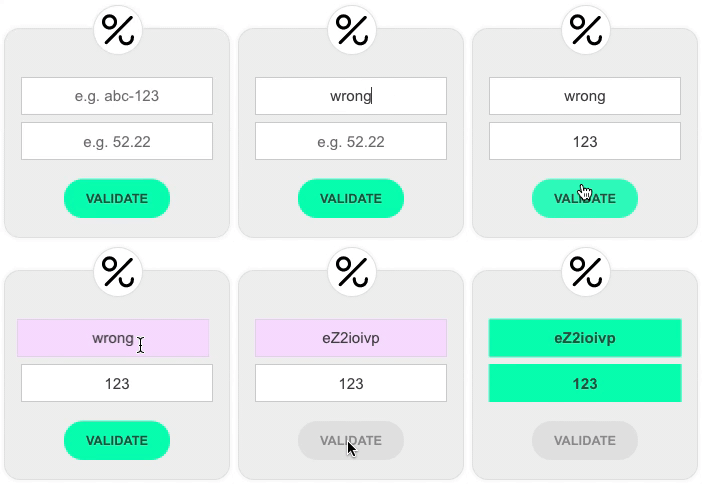
Voucherify JS SDK offers many client-side features:
* `validate widget` which enables your customers to validate their codes and check its validity in a given context.
* `redeem widget` which enables your customers to redeem the promo codes.
* `publish widget` which enables your customers to a unique voucher from a given campaign in exchange for providing an email address.
* `subscribe widget` which adds a [customer](/reference/get-customer) to Voucherify. You can then use one of the [automatic delivery](/docs/automatic-delivery) channels to send him/her a coupon. [Read more here](https://voucherifyio.github.io/voucherify-js-sdk/#client-side-methods).
## API requests rate limit
To keep your vouchers and promotions safe from fraudulent customer behavior, Voucherify limits the rate of public client requests coming from a single IP address. The current limit can be found at [Limits](/docs/limits) section.
When the limit is exceeded, Voucherify returns:
```json Response
{
"code": 429,
"message": "Too many requests hit the API too quickly."
}
```
## Installation & reference
Visit [Github repository](https://github.com/voucherifyio/voucherify-js-sdk) to get the current documentation.
To use Voucherify client-side features you have to white-list your domain in the [Client-side Settings](https://app.voucherify.io/#/app/configuration/proj_f1r5Tpr0J3Ct).

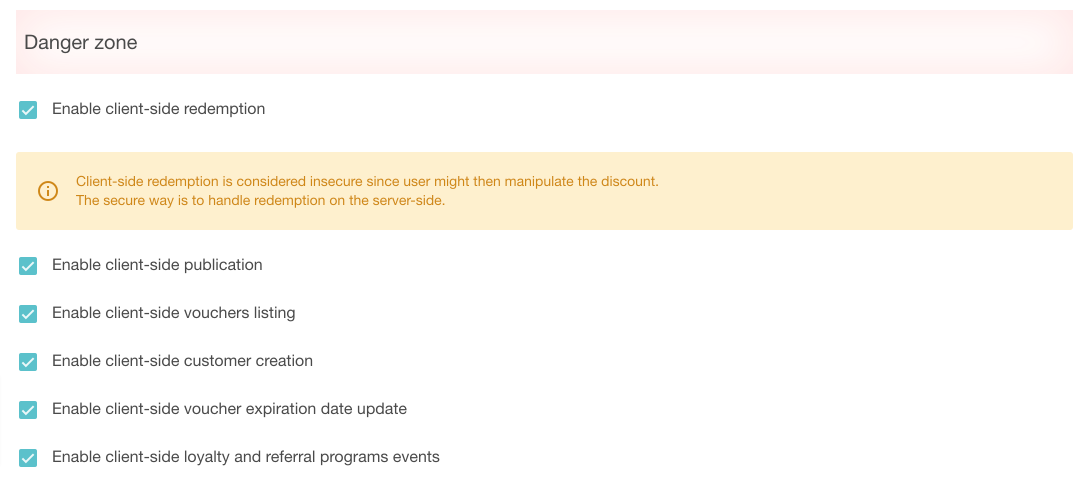
You have to activate particular client-side options in the [Project Settings](https://app.voucherify.io/#/app/configuration/proj_f1r5Tpr0J3Ct).
***
* [Table of Contents](#)
* * [API requests rate limit](#api-requests-rate-limit)
* [Installation & reference](#installation--reference)